
Need help ?Address: FLAT/RM 803 CHEVALIER HOUSE 45-51 CHATHAM ROAD SOUTH TSIM SHA TSUI KL
Email: support@hkmlc.com

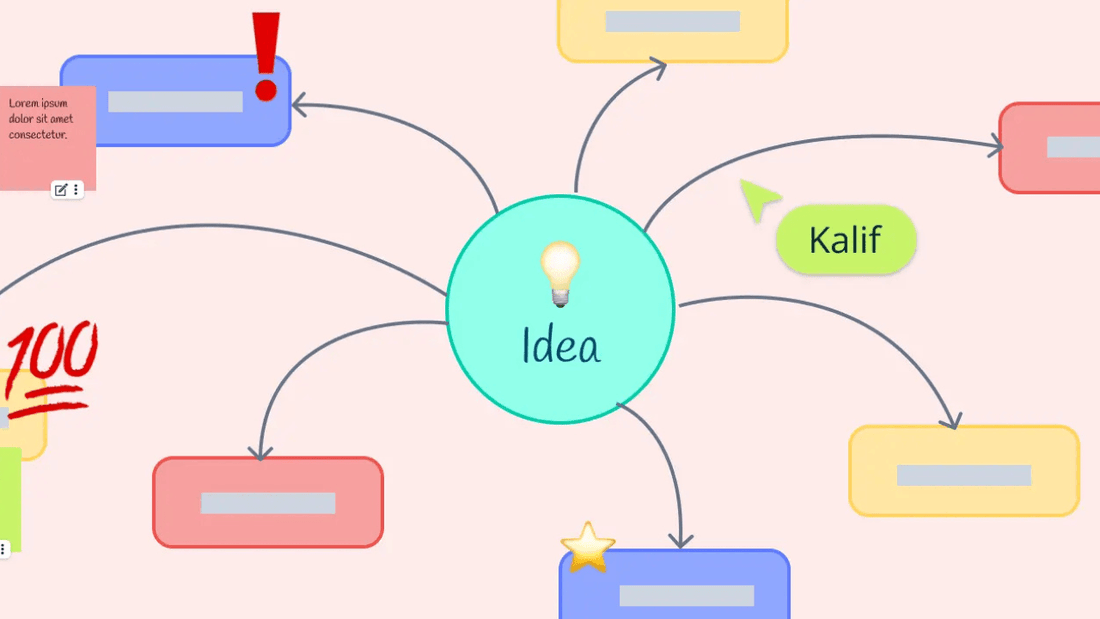
Visual tools like concept mapping make organizing your thoughts or brainstorming ideas so much easier. Whether you’re a student, teacher, or professional, concept maps allow you to visually see how different ideas interrelate, making complex information more understandable and memorable. This article outlines what concept mapping entails, how it works, and how you can get started with using it for better conceptual notes and collaboration.

A concept map is a diagram that visually portrays relationships among ideas or concepts. It organizes and links ideas in a hierarchical structure, helping users derive insight into how different elements are connected. In concept maps, ideas or concepts are displayed as nodes, usually in circles or boxes, while relationships between them are depicted as labeled arrows or lines.
Though often confused with mind mapping, concept mapping emphasizes the connections between ideas rather than just categorizing topics. Concept mapping is highly useful in fostering comprehension—showing how different concepts are related—and it helps develop a deep understanding of complex information.
Concept maps consist of two essential components:
The goal of a concept map is to show how individual ideas form part of a broader schema, making it an excellent tool for conceptual note-taking. With concept maps, you can view large-scale and detailed levels of information simultaneously, which helps improve understanding and long-term retention of information.
Conceptual maps have applications in both business and education. Below, we explore some of these uses:
Want to create your concept map? Follow these steps:
There are several ways you can create concept maps, depending on your preferences and needs:
Start by selecting the primary concept or focus question your map will address. This will be the central theme, and every other idea will link back to it.
Next, brainstorm and list subordinate ideas related to the main concept. Try to generate 15–20 ideas, organizing them from general to specific. Keep descriptions brief—one or two words for each concept—to prevent your map from becoming text-heavy.
Organize your ideas hierarchically under the central concept, placing the most general ideas at the top and the more specific ones beneath. Use arrows or lines to connect the ideas and add connecting words to clarify the relationships between them.
Once your preliminary map is complete, step back and review the relationships. Ask yourself:
This process will sharpen your clarity on the relationships between concepts and improve your map’s overall structure.
Concept mapping is an invaluable tool for conceptual note-taking, problem-solving, and understanding complex information. Whether in business or education, concept maps allow users to visualize and organize ideas, leading to greater comprehension and retention.
With tools like the HKMLC Interactive Whiteboard, concept mapping becomes even more powerful. The ability to collaborate in real time, share maps instantly, and store them securely in the cloud elevates concept mapping to a new level of efficiency and creativity.
The next time you’re brainstorming or organizing your thoughts, give a concept map a try—and consider using a tool like HKMLC to streamline the process and enhance collaboration.
No comments

Where Visions Are Amplified!
Email: support@hkmlc.com
Phone: 1-877-947-8577
Adress: ROOM_1, 16/F EMPRESS PLAZA 17-19 CHATHAM ROAD SOUTH, TSIM SHA TSUI, HK





0 comments